
Imagine an industrial site with several production buildings, warehouses and offices. Each building has its own fire alarm panel.
When an alarm activates, the team on duty needs to identify the source, contact personnel at the location and relay information to the emergency response team.
This raises an important question: how effectively does information from your fire alarm system help your team identify the location that needs attention?
For organisations managing multiple buildings, centralised monitoring can help bring that information together.
If you are reviewing a fire alarm system in Malaysia for a factory, warehouse, campus or commercial facility, consider how information reaches the people responsible for responding. This guide explains centralised fire alarm monitoring, existing fire alarm panel integration and the role of i-FAST in connecting compatible systems across buildings.
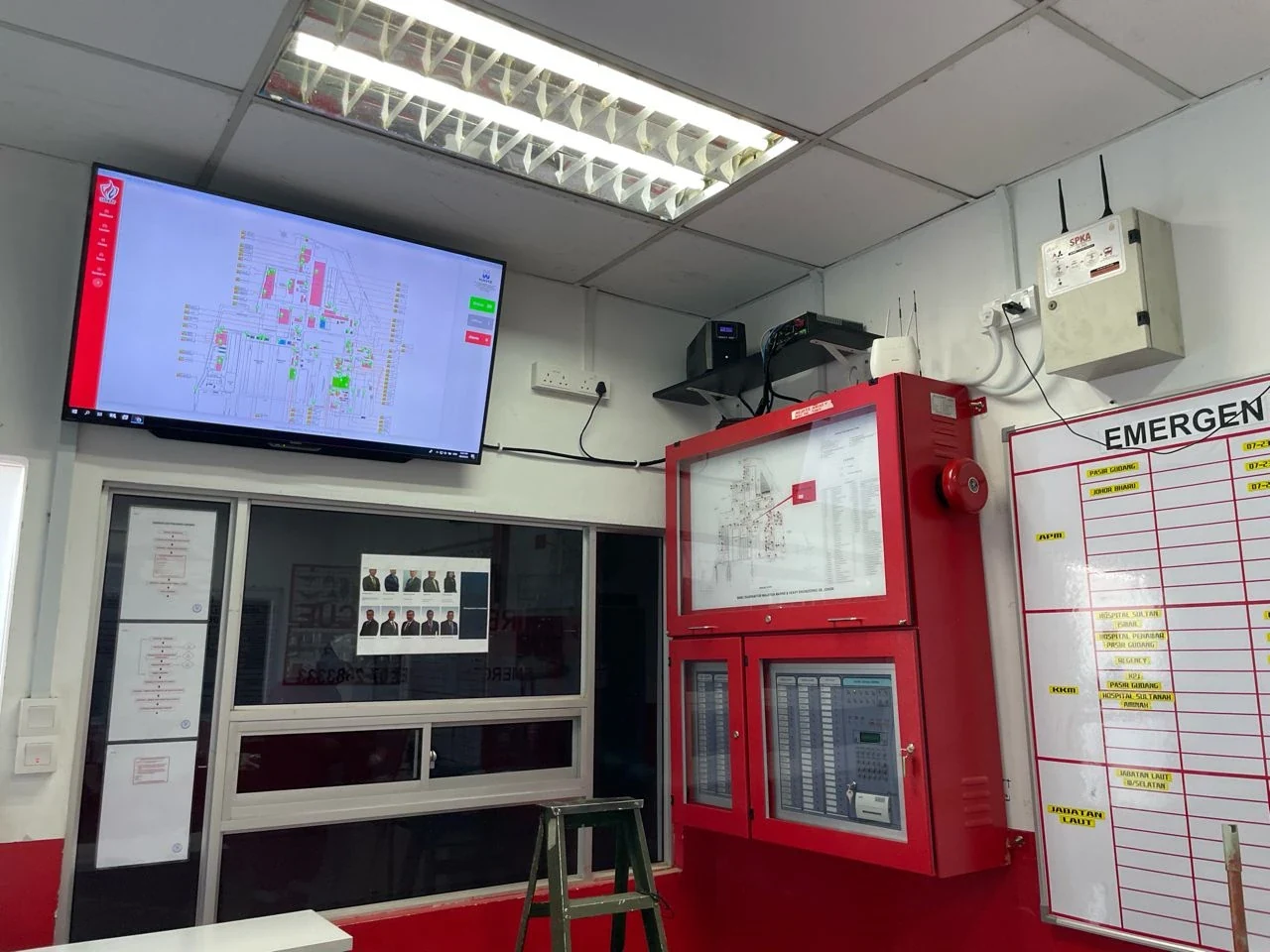
The Challenge of Monitoring Separate Fire Alarm Panels
When panels are monitored independently, getting a clear picture across a large site can be difficult—particularly when buildings are far apart or monitoring responsibilities are shared between teams.
Common challenges may include:
- Relaying location details through phone calls or manual communication.
- Checking the status of panels across several buildings.
- Ensuring event information reaches the appropriate personnel.
- Compiling event records for maintenance reviews and management reporting.
Receiving an alarm is only part of the process. Teams also need clear information to support action under the site’s emergency procedures.
What Is i-FAST? An Integrated Fire Alarm Monitoring System
i-FAST—Intelligent Fire Alarm System—connects compatible existing fire alarm panels to a centralised monitoring system.
Through a retrofit integration approach, information from connected panels can be brought into a shared monitoring environment. The implementation depends on panel compatibility, communications infrastructure and the site’s operational requirements.
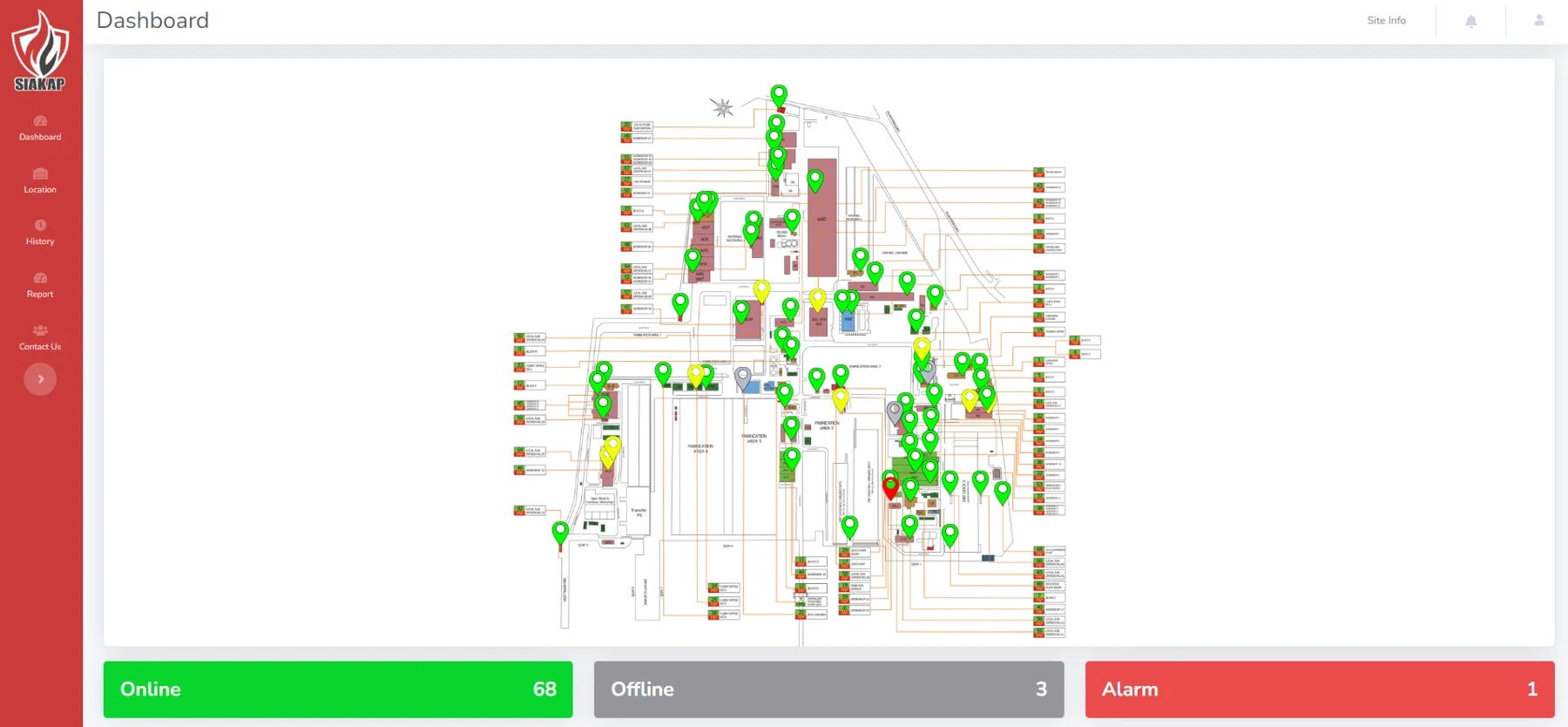
The solution includes interfaces such as a web dashboard, smartphone access and a monitoring display in the Emergency Response Team (ERT) control room, subject to the agreed configuration.
How Does a Centralised Fire Alarm Monitoring System Help?
1. Identify the Location That Needs Attention
Events from connected panels can be associated with configured buildings, panels or locations.
For example, an event may be linked to a particular building, helping the team identify where to investigate according to the site’s procedures.
The level of location detail depends on the information available from the existing system and the integration design.
2. Bring Multiple Buildings into One Monitoring View
A central dashboard allows personnel to view information from connected panels in one place. For industrial fire alarm systems and commercial buildings, this multi-building monitoring approach brings connected alarm information into a shared view.
This approach can be considered for factories, campuses, warehouses and organisations managing several buildings. Network connectivity and user access requirements must be assessed for each location.
3. Notify Designated Personnel
Notifications can be configured for agreed users and supported channels, including smartphone interfaces and email.
Clear responsibilities remain essential: who receives the information, who investigates the event and who coordinates the response should be defined in the organisation’s procedures.
4. Support Maintenance and Operational Reviews
Panel and event records can help teams review alarm history, plan maintenance and prepare management reports.
For example, recurring events at a particular location may provide a starting point for further investigation by the technical team.
Do All Existing Fire Alarm Panels Need to Be Replaced?
Not necessarily. A retrofit approach allows suitable existing panels to be considered for integration.
However, compatibility must be confirmed first. Panel brands, models, available output signals and the functions required will influence the implementation scope.
A site assessment is therefore an important first step before determining the system design and cost.
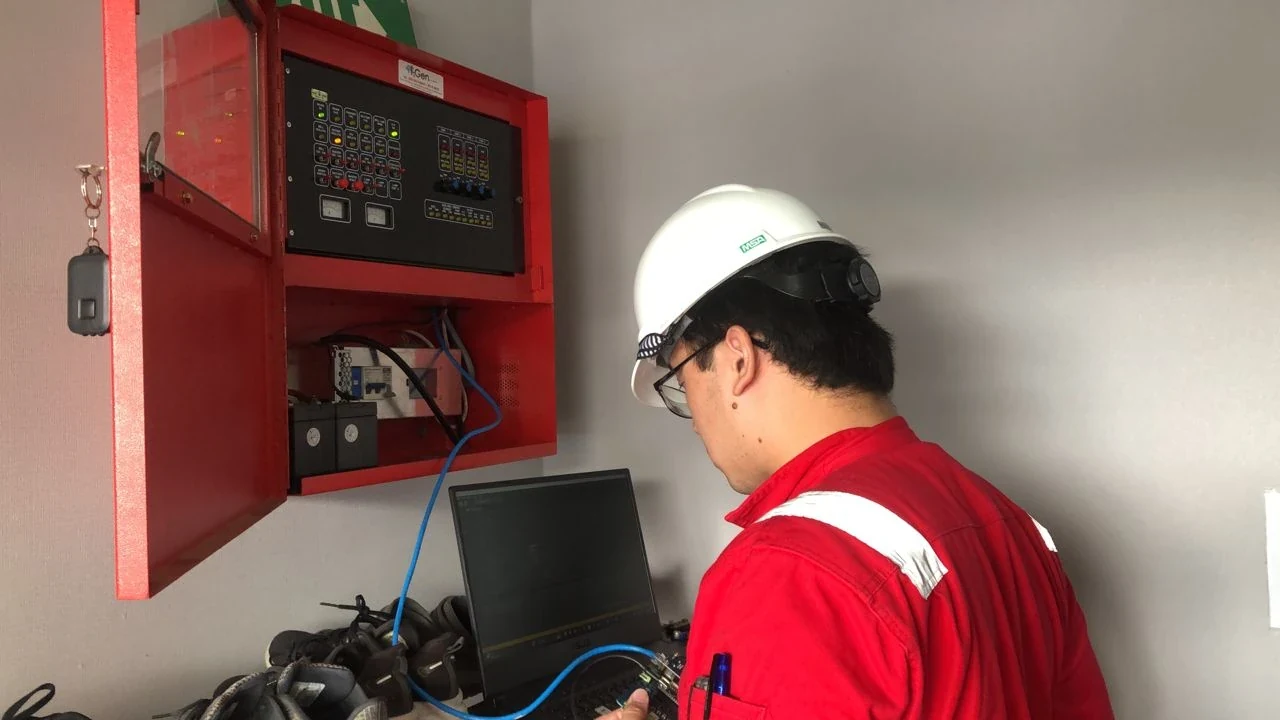
What Should You Prepare for an Initial Assessment?
To begin a technical discussion, gather:
- The facility type and approximate number of buildings.
- The brands and models of existing fire alarm panels.
- Photographs of panels and model labels.
- Details of available LAN, Wi-Fi or fibre connectivity.
- An overview of the current monitoring arrangements.
- The main challenges faced by the facilities team or ERT.
This information helps establish integration requirements and whether a phased implementation would be practical.
Fire Alarm System Monitoring: Frequently Asked Questions
Is fire alarm monitoring the same as fire detection?
In this article, fire alarm monitoring refers to receiving and displaying information from compatible connected panels. i-FAST adds a centralised monitoring layer to the existing alarm infrastructure; it does not replace the site’s detection equipment or emergency procedures.
Can an existing fire alarm control panel be integrated?
Fire alarm panel integration depends on the panel brand, model, available signals and required functions. Do not assume compatibility from the panel’s age or category alone. Share the model details and photographs with the technical team for assessment before planning a retrofit fire alarm system upgrade.
Can teams access fire alarm information remotely?
The i-FAST solution includes web dashboard and smartphone interfaces, subject to the agreed configuration. Remote fire alarm monitoring access, user permissions, notifications and network availability must be established for the specific site.
How much does fire alarm monitoring integration cost in Malaysia?
There is no single price for every facility. The number and compatibility of panels, building count, existing network, notification requirements and commissioning scope influence the proposal. A site assessment helps establish the scope before a quotation is prepared.
Does centralised monitoring replace fire alarm maintenance?
No. Event history can support maintenance planning, but monitoring does not replace fire alarm system maintenance, equipment testing or the site’s emergency procedures.
Start with Your Site’s Actual Needs
A centralised monitoring system should be designed around the existing infrastructure and the way the response team operates. Event information, notifications and agreed functions should be tested during commissioning.
i-FAST supports monitoring and information coordination. It does not replace emergency procedures, personnel training or fire alarm system maintenance.
Managing multiple buildings with separate fire alarm panels? Speak with Budi Kencana to assess whether i-FAST is suitable for your facility.